Please switch off AdBlock for this webside to display it correctly (there are no ads here).
Tutorial 2 - SiO2 reflectance fit using the Sellmeier formula
This tutorial will show how to determine optical constants of a SiO
2 thin film on a silicon wafer from a reflectance measurement.
-
Create a new directory and download the input data file
reflectance measurement (sample X2551) .
-
Create a
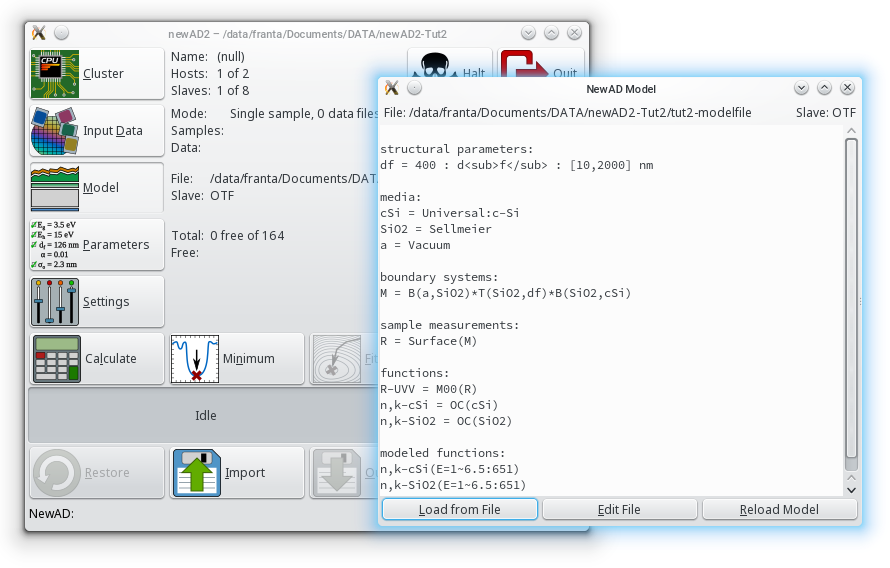
modelfile describing the modeled system of a SiO2 thin film on a silicon substrate.
We will start with the simplified model of a semi-infinite substrate.
The modelfile from the previous tutorial will be used as a starting point; however, a few enhancements are needed.
In the media section a new definition of SiO2 is needed (model Sellmeier).
The film thickness must be defined in the structural parameters section.
Also needed is a definition of the boundary system (air/SiO2 boundary, transition matrix and SiO2/cSi boundary) and the measurement type (Surface).
The function section should contain the definition of the optical constants for SiO2 as well as the identifier of the experimental data (see the input file, here R-UVV).
The corresponding function for reflectance measurements is M00 with the measurement identifier defined in the sample measurement section used as an argument.
In contrast to the first tutorial, optical constants of crystalline silicon are modeled using the Universal Dispersion Model (Universal:c-Si) with predefined
dispersion parameters read from the file /usr/local/share/newAD2/Universal/c-Si. This model is much less numerically demanding, but is
sufficiently accurate for modeling optical constants at room temperature.
Download modelfile
-
Start newAD2 and load the modelfile.
-
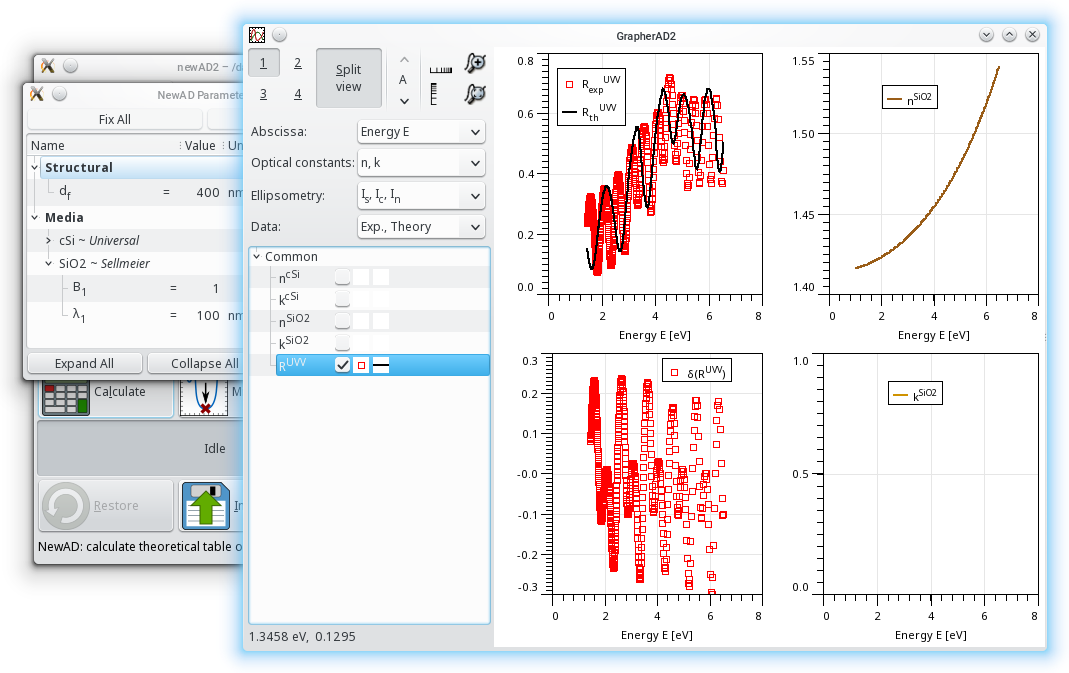
Click on Samples and select sample X2551 and datafile R-UVV-X2551.dat.

Note: Input of the data can be performed prior to choosing the model.
-
Click on Calculate and check in the Grapher that the experimental data were loaded successfully and all needed optical constants are being calculated.
-
A crucial step before fitting is the selection of suitable starting parameters.
newAD2 uses a modified Levenberg-Marquardt algorithm to search for the sum-of-squares minimum.
However, there is no guarantee that the found minimum is a true global minimum (the best fit possible).
If the starting parameters are far from the minimum, the algorithm can end up in a local minimum.
It is particularly important to have a good starting value for the film thickness.
Click on Parameters and check the initial values.
Every change should be confirmed with the Enter key.
Use the Calculate button to start the calculation with the current parameters.
-
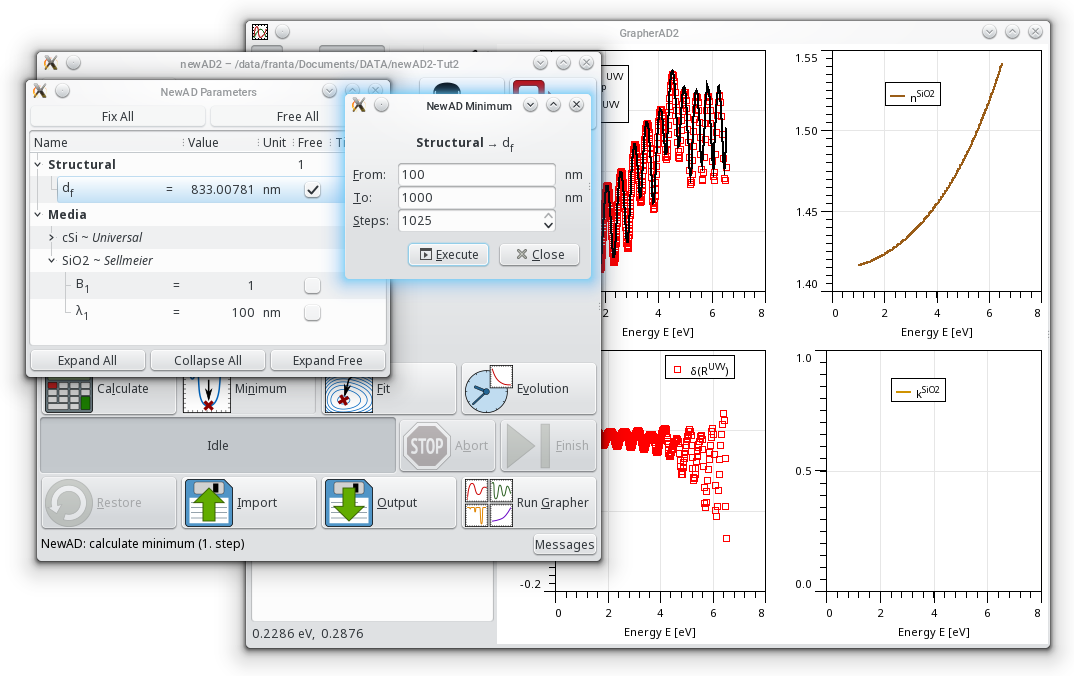
The Minimum function can be very handy when searching for good starting parameters.
After clicking on Minimum, a new window will open, asking you to select one parameter in the Parameters window.
Select the film thickness and enter the parameter testing range.
By clicking Run, the algorithm will start testing thicknesses within the defined interval at a constant step, using an increasingly finer division.
The search for the optimal value can be ended with Finish, and the best value found will be used.
-
Check in the Grapher that the initial guess has at least an approximate match with the experimental data (especially the interference pattern).
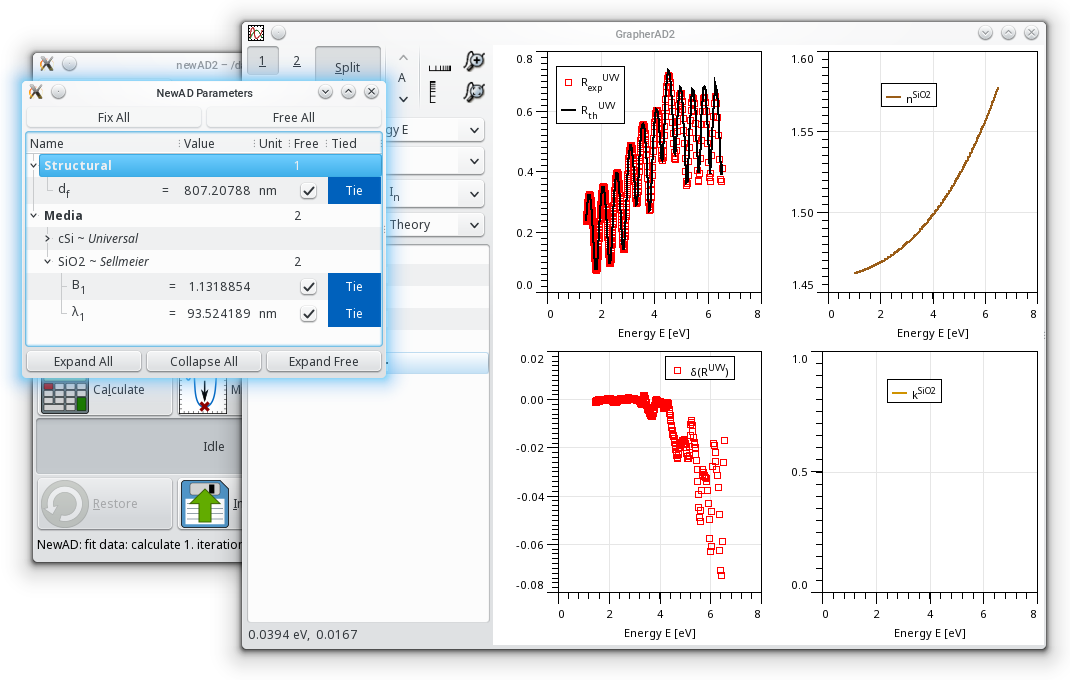
If everything is in order, you can now start the fit with the Fit button.
After the fit finishes, check the results in the Grapher.
-
You can repeat the procedure for other SiO2 samples with different thicknesses:
reflectance measurement (sample X2536)
and reflectance measurement (sample A51).
Sample A51 is not a perfect SiO2 layer, but it contains trace carbon impurities, and hence weak absorption at lower energies than pure SiO2.
Try to fit this weak absorption using the exponential absorption model within the Cauchy dispersion model.
 |
|